Hello everyone,
I’m new to PSU and have installed PSU 5.5.4 (licensed) on a Windows Server 2025. We use a proxy server with authentication in our company network.
How can I configure PSU to use the proxy server for web requests or installing modules from the PSGallery?
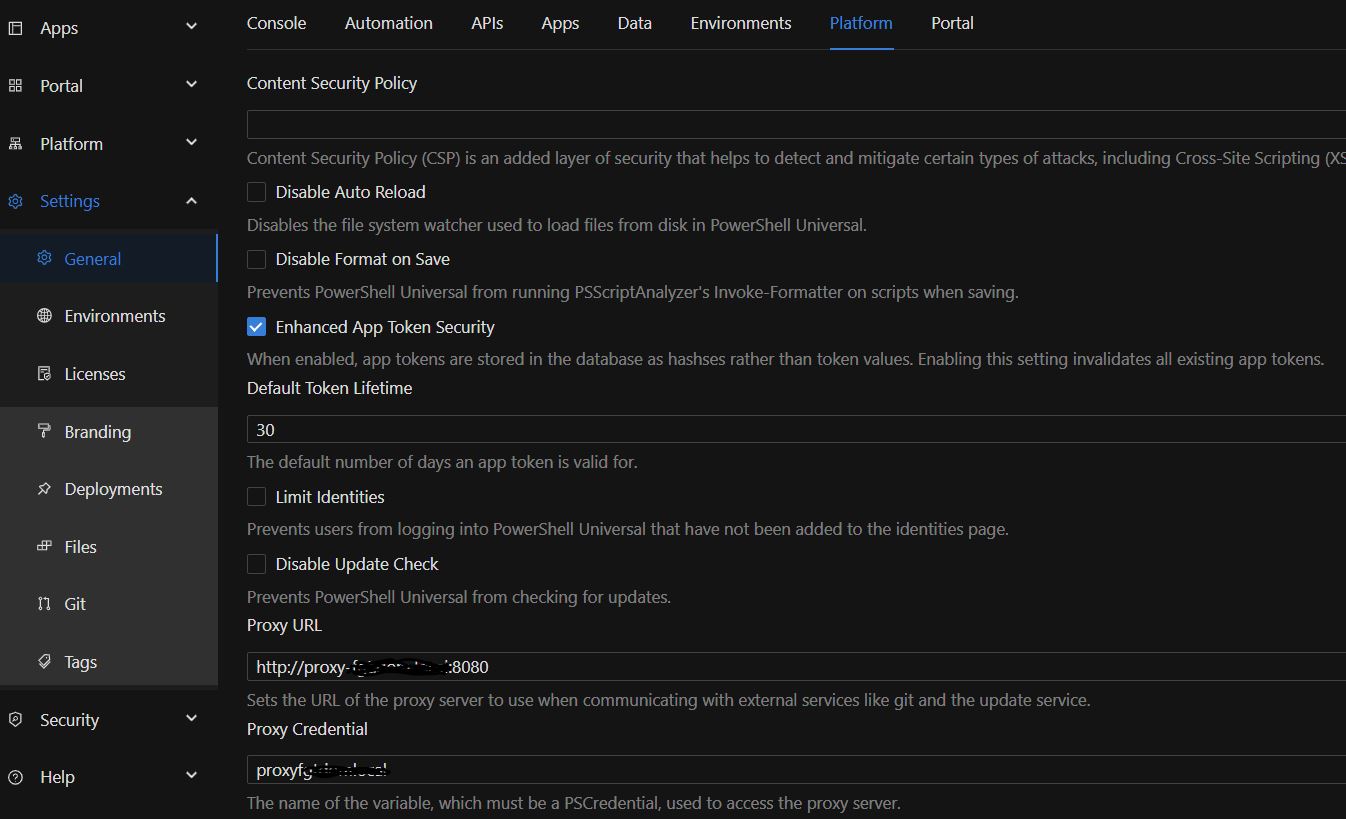
I tried configuring the proxy server under “Settings → General → Platform.”
In the “Proxy URL” field, I entered the proxy URL and port.
In the “Proxy Credentials” field, I selected a secret that I previously configured under “Platform → Variables.”
But I’m not sure if I configured the secret correctly! Under Username and Password, I entered the details of a domain account with permission to connect to the proxy/internet. However, when I open the secret again, my local PSU administrator account is displayed as the username?!
When I click “Validate,” the validation always fails (with PSUAdmin and with the service account for accessing the internet). What is it being validated against?
Also, no PSGallery modules are displayed.